Coorvia › For contractors
Free CAE platform for contractors: your documents, once, for all your clients
Has a client invited you to Coorvia? Your company pays nothing: not for the account, not for your workers or machines, and not for submitting documents. You upload each document once and submit it to every client who asks for it.
How to get started in five steps
- Accept the invitation. It reaches you by email from Coorvia on behalf of your client and expires after 14 days. An administrator of your company accepts it; if your tax ID is already in Coorvia, you join that same account.
- Complete your company. Add your workers (with their DNI or NIE) and your machines (vehicles, machinery). You do it once and it works for all your clients.
- Upload the documents. Those of the company, each worker and each machine, as PDF, JPG or PNG. Coorvia tells you what each client is asking for and by when.
- Assign your staff to the job. In bulk, on each client’s contract, with your workers and your machines.
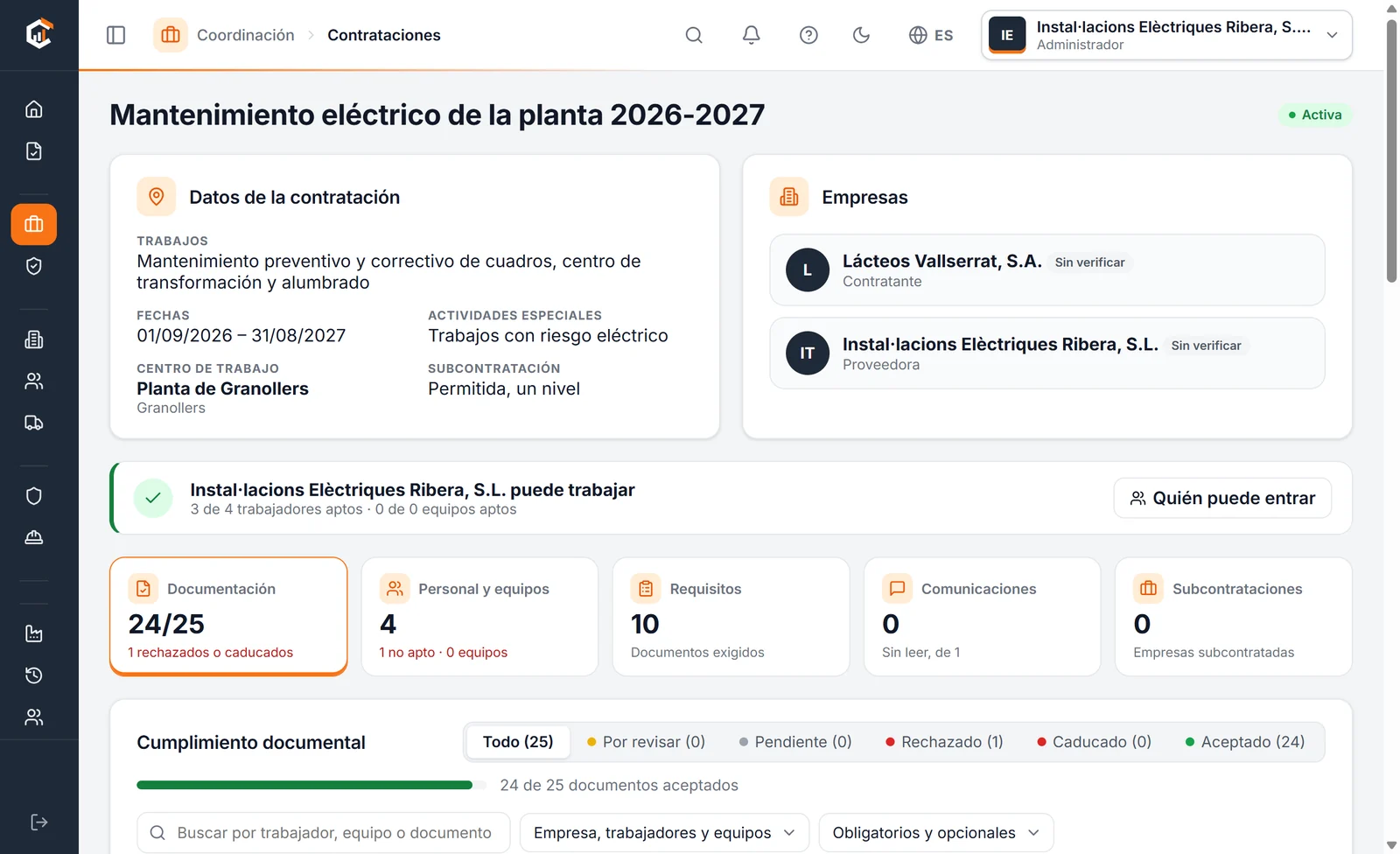
- See who can enter. Coorvia tells you, for each worker, whether they can enter today and, if not, what is missing.
What you can do for free
| What | How |
|---|---|
| One folder for all your clients | Each document is uploaded once and submitted to every client who asks for it. If you renew it, the new version works for all of them. |
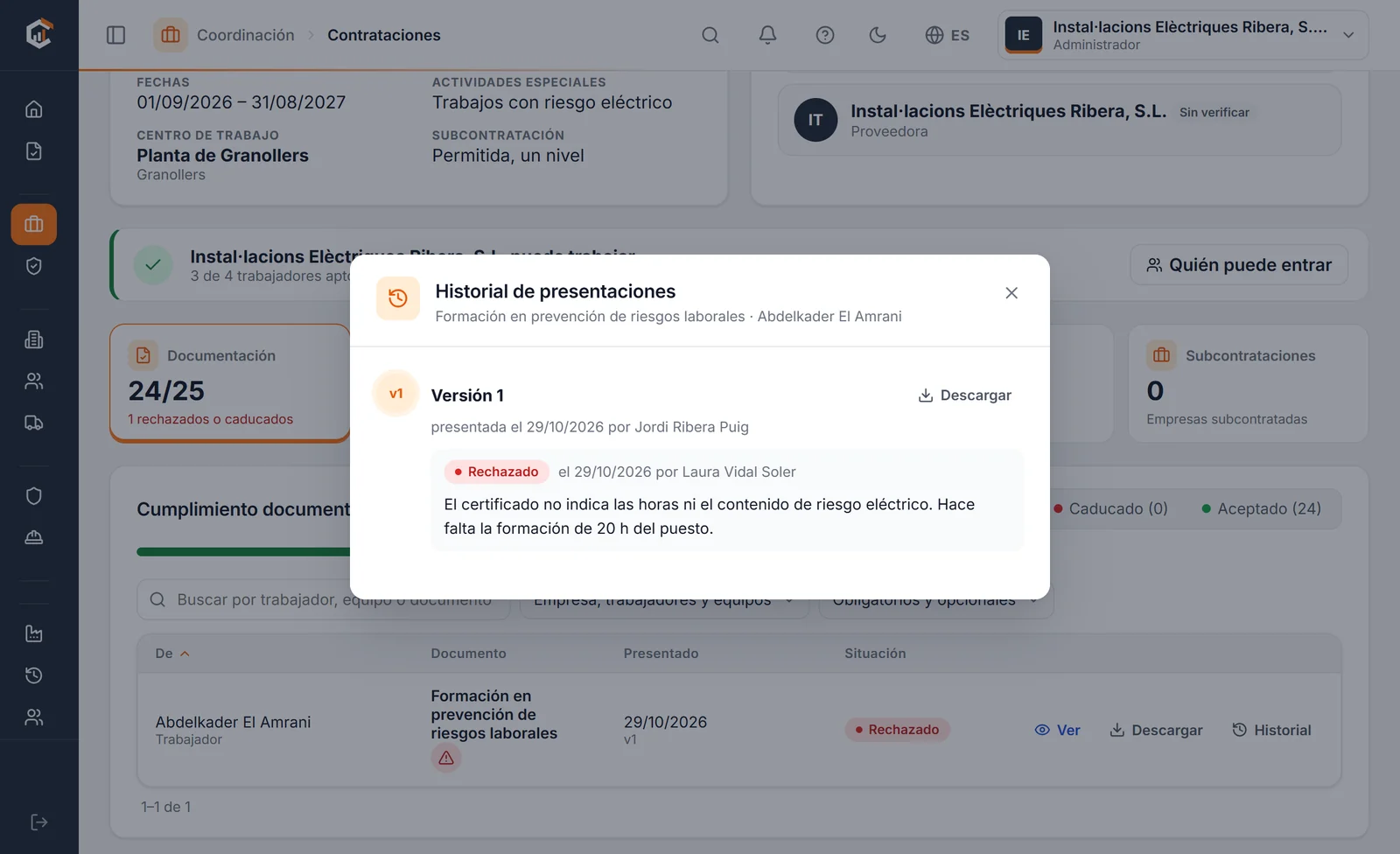
| Know what is missing | You see what is missing, what is pending review and what has been rejected, with the reason. |
| Reminders before expiry | In the app and, if you like, a daily email summary at 7:00 on days when something is pending. |
| Messages with your client | Risks, instructions and remarks within each contract, with read receipts. |
| Subcontract | If the contract allows it, you invite your subcontractors and request the same documents from them. |
| Your team | Unlimited users, with administrator, manager or read-only roles. |
Two documents that are checked automatically
You do not have to wait for anyone to review them: when you upload them, Coorvia reads them and accepts them if they comply.
- AEAT certificate for contractors: it must be issued to your tax ID, be positive and not have expired (it is valid for 12 months). Because it names the company hiring you, it can only be submitted to that client. It is requested from the Tax Agency’s online office.
- RNT (monthly social security list of workers): the one for the last closed month. Anyone on it meets this requirement without uploading anything else; later starters and leavers do not show until the next month’s RNT. Your client does not see the list of ID numbers.
These are sensitive documents: Coorvia keeps only the data it checks, not the file.
So who pays?
The hiring company pays, based on the workers and machines of its contractors that it manages. If your company also hires others, with the same account you request documents from your subcontractors and only pay for what you hire. On other CAE platforms the contractor pays an annual licence, from about €100 to over €400 a year on those that publish rates; we compare them in best CAE platforms.
Frequently asked questions from contractors
Does Coorvia cost the contractor anything?
No. Suppliers never pay in Coorvia: not for the account, not for users, not for workers or machines, and not for submitting documents to their clients.
I have not received the invitation. What should I do?
Check your spam folder and ask your client to check the address. Invitations expire after 14 days, but your client can resend it from Coorvia.
Which documents will I be asked for?
Each client decides according to the activity and the risks. The usual ones are the risk assessment, the compliance certificates, the RNT, insurance and, per worker, training, risk information, medical fitness and PPE handover. The full list is in which documents to request from a contractor.
Does my client see my workers’ medical data?
No. What is submitted is the fitness certificate (fit or unfit), never medical reports. And from the RNT your client only sees whether each assigned worker is cleared, not the list of ID numbers.
My client does not use Coorvia. Can I still use it?
Coorvia is designed for the hiring company to request and review documents. If you would like one of your clients to use it, you can suggest it: there is a free plan to get started.